|
|
|
|
|
|
EZ-NetTools Promotion Suite > EZ-LinkTrader
|
|
|
|
|
|
- Dynamically Created Hot Links Page
- Customized Category Segmentation
- Simple Management for Link Trades
- Automatic e-mail Responder
- Current Trade Status Report
|
|
EZ-LinkTrader is a powerful management tool that helps organize link-trading campaigns. In other words, you link to a website and request that they return the favor. This technique is also referred to as a reciprocal link. EZ-LinkTrader is an incredible time saver!
EZ-LinkTrader is used in 3 simple steps.
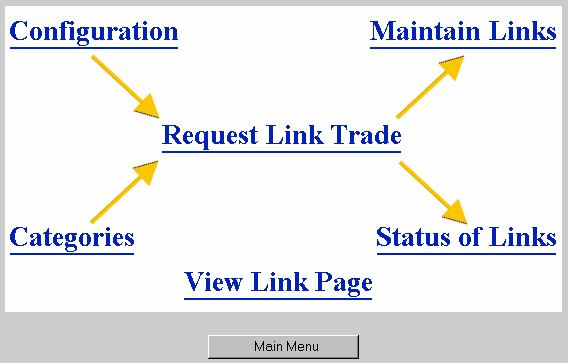
Configure EZ-LinkTrader
First, establish the categories of links that will be provided. Create as many categories as you need.
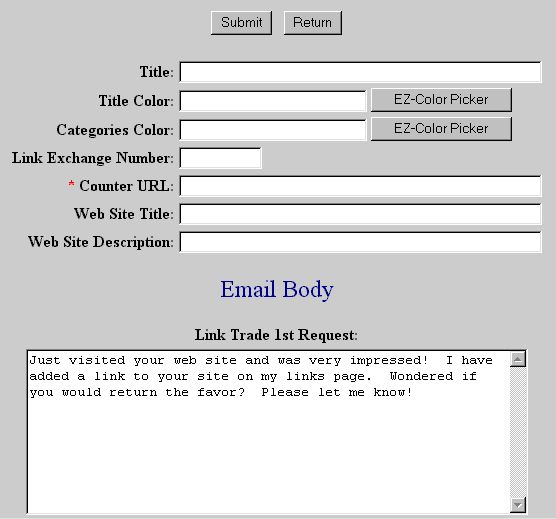
Once the categories are set, type in the introductory and follow-up e-mail messages. These messages will be automatically sent when any link is requested.
|
|
|
Initiate the Link Trade
Second, initiate the link trade by placing a link on the Hot Links page that is dynamically created. Place the link in the respective category that was established in the configuration. Then request the reciprocal link.
When the trade is requested, two e-mails are automatically scheduled. The first one will be sent immediately. The second is a follow-up e-mail that will be sent if no response is received within 10 days.
|
|
|
Maintain the Link-Trade Campaign
Once the link trading is underway, you can check the status report that will provide real time information. You will know:
|
|
- First e-mails Sent
- Second e-mails Sent
- Deleted Links
- Declined Links
- Active Links
|
|
At anytime, you can also add, delete, or modify any link trades by hand.
Link trading is a powerful marketing method to attract traffic to websites. The link trader simplifies the process and provides management tools that can save hours of time.
|
|
|
|
|
|
|