Pagebuilder - Adding and Editing the options on your page.
Step Two: Getting Started with EZ-PageBuilder
EZ-PageBuilder is an integrated set of many programs all developed to make creating Web pages fast and easy. The design behind the EZ-PageBuilder is stacking different types of blocks together.
Below is a demonstration that explains how EZ-PageBuilder works:
Step One:
Use the 'Add' buttons in the top right corner of EZ-PageBuilder.
Step Two:
Choose the type of block you want to add.
Step Three:
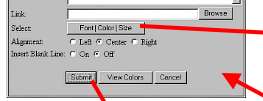
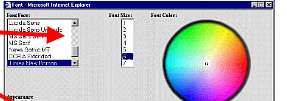
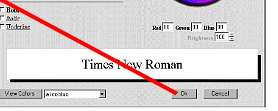
Fill in and choose the options available for that type of block.
Step Four:
Submit your block to your page.
That's it! You build and save your Web page in real time making it available world wide! You are now ready to learn about each of the available options in EZ-PageBuilder. Click Here!